
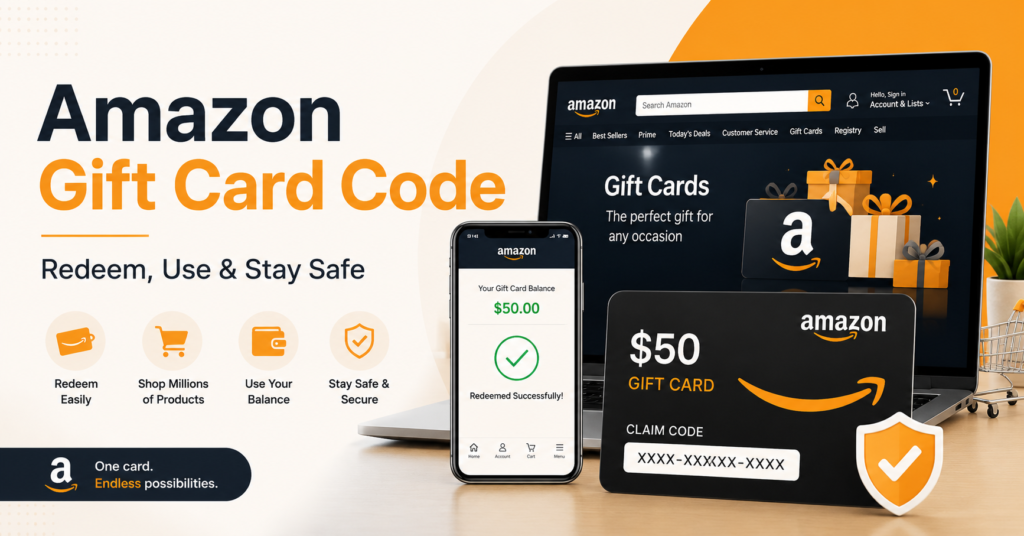

An Amazon gift card code is a convenient way to add money to your Amazon account and purchase eligible products without using a credit or debit card. Gift cards are commonly given as presents, rewards, promotional incentives, or giveaway prizes.
Amazon gift card codes can be purchased online or from authorized retail stores. Some legitimate websites and companies also offer Amazon gift cards through surveys, loyalty programs, competitions, and promotional campaigns.
However, users should be careful when searching for a free Amazon gift card code. Fake code generators, suspicious downloads, and misleading websites are common. This guide explains how Amazon gift cards work, how to redeem them, and how to avoid scams.
What Is an Amazon Gift Card Code?
An Amazon gift card code, sometimes called a claim code, is a unique combination of letters and numbers linked to a specific gift card balance.
A code may look similar to this example:
XXXX-XXXXXX-XXXX
This is only a format example and is not a working code.
Once a valid code is redeemed, its value is added to the recipient’s Amazon gift card balance. The balance can then be used during checkout for eligible purchases.
Amazon gift card codes may be delivered through:
- Physical gift cards
- Email gift cards
- Printable gift cards
- Text message delivery
- Promotional rewards
- Authorized reward platforms
- Company or employee incentive programs
Each gift card code is normally intended for one-time redemption.

Types of Amazon Gift Cards
Amazon offers several gift card formats. Availability may vary depending on your country and the Amazon marketplace you use.
| Gift Card Type | Delivery Method | Best Used For |
|---|---|---|
| Digital gift card | Email or text message | Fast delivery and online gifts |
| Physical gift card | Delivered by post or purchased in-store | Birthdays and physical presents |
| Print-at-home card | Downloadable and printable | Last-minute gifts |
| Promotional credit | Added through an Amazon promotion | Discounts on selected purchases |
| Reward gift card | Provided by a survey or rewards platform | Earning small online rewards |
| Corporate gift card | Distributed by a company | Employee and customer incentives |
How to Redeem an Amazon Gift Card Code
Redeeming an Amazon gift card code is usually simple. Make sure you are signed in to the correct Amazon account before entering the code.
Step 1: Sign In to Your Amazon Account
Visit the official Amazon website or open the Amazon mobile app.
- Select Sign In
- Enter your email address or mobile number
- Enter your password
- Confirm that you are using the correct regional Amazon marketplace
For example, a gift card purchased for one Amazon country may not work on another country’s Amazon website.
Step 2: Open the Gift Card Section
From your Amazon account:
- Go to Your Account
- Select Gift Cards
- Choose Redeem a Gift Card
- Find the box asking for your claim code
The menu wording may appear slightly different depending on your device or location.
Step 3: Enter the Amazon Claim Code
Carefully type or paste your gift card code into the redemption box.
Before submitting it:
- Check every letter and number
- Remove unnecessary spaces
- Avoid confusing letters with numbers
- Make sure the code has not already been redeemed
Select Apply to Your Balance or the equivalent redemption button.
Step 4: Confirm Your New Balance
After successful redemption, Amazon should display a confirmation message. The gift card amount will normally appear in your account balance.
You can review the balance by visiting the gift card section of your Amazon account.
How to Use an Amazon Gift Card Balance
After redeeming your Amazon gift card code, you can use the balance when purchasing eligible products.
Step 1: Add a Product to Your Cart
Search Amazon for the product you want and add it to your shopping cart.
Step 2: Continue to Checkout
Select your delivery address and shipping method.
Step 3: Review the Payment Method
Amazon will usually apply your available gift card balance automatically. If the gift card balance does not cover the full order amount, you may need to add another accepted payment method.
Step 4: Place Your Order
Review your order information carefully and select Place Your Order.
Your account should show how much was paid using the gift card balance and how much was charged to another payment method.
How to Check Your Amazon Gift Card Balance
You can normally check your Amazon gift card balance without making a purchase.
Follow these steps:
- Sign in to your Amazon account.
- Open Your Account.
- Select Gift Cards.
- View your available gift card balance.
- Review recent gift card activity when available.
Never share screenshots showing your complete gift card code or account details.
Legitimate Ways to Get Amazon Gift Card Codes
There is no reliable method for producing unlimited gift card codes. Valid codes must be issued by Amazon or an authorized seller, company, or rewards provider.
Possible legitimate methods include:
- Purchasing directly from Amazon
- Buying from authorized retail stores
- Joining verified promotional giveaways
- Completing surveys on reputable rewards platforms
- Participating in loyalty programs
- Receiving employee or customer rewards
- Winning social media contests from verified brands
- Using cashback or points programs
- Participating in research studies that offer gift cards
Always check the reputation, terms, and eligibility requirements of a rewards platform before providing personal information.
Benefits of Amazon Gift Card Codes
Amazon gift cards offer several useful advantages:
- Easy to redeem: Codes can usually be added to an account within minutes.
- Flexible spending: Recipients can choose from many eligible Amazon products.
- Useful for gifting: You do not need to know the exact product someone wants.
- Budget control: Users can limit spending to their available gift card balance.
- Fast digital delivery: Email gift cards can be delivered quickly.
- No card details required: A gift card may reduce the need to enter bank card information for covered purchases.
- Suitable for rewards: Companies can use gift cards for promotions, incentives, and giveaways.
Tips and Tricks for Using Amazon Gift Cards
Redeem Codes Promptly
Redeem a legitimate code soon after receiving it. This reduces the risk of losing the email, card, or printed claim code.
Use the Correct Amazon Marketplace
Amazon gift cards may be restricted to a specific country or marketplace. A card issued for Amazon.com may not be accepted on another regional Amazon website.
Keep the Card Until the Balance Appears
Do not throw away a physical card or delete the delivery email until you confirm that the balance has been successfully added.
Check the Terms Before Purchasing
Some products, subscriptions, or third-party services may not be eligible for gift card payment. Review Amazon’s applicable gift card terms before placing an order.
Avoid Sharing Your Code
Treat your gift card code like cash. Anyone who obtains the complete code may be able to redeem it.
Save Proof of Purchase
Keep your receipt or order confirmation. It may be useful if a newly purchased gift card does not work.
Common Amazon Gift Card Problems
The Code Is Invalid
An invalid message may appear because:
- The code was typed incorrectly
- The card was not activated properly
- The code belongs to another Amazon marketplace
- The code has already been redeemed
- The card came from an unauthorized seller
- The code has been altered or damaged
Recheck the code carefully. If it still does not work, contact Amazon customer support through the official website or app.
The Code Was Already Redeemed
Amazon gift card codes are generally intended for one-time redemption. Check whether the balance was added to another Amazon account belonging to you or a family member.
Do not post the code publicly while asking for assistance.
The Gift Card Balance Is Not Applied
Confirm that:
- You are logged in to the correct account
- The purchase is eligible
- The gift card balance is sufficient
- The promotional balance has not expired
- The balance is available on the correct regional website
The Physical Card Is Damaged
Avoid aggressively scratching or peeling the claim-code area. If the code becomes unreadable, keep the card and receipt and contact the seller or official Amazon support.
Amazon Gift Card Giveaways
Amazon gift card giveaways can be genuine, but they can also be used to attract visitors to scam websites.
Before joining a giveaway, check:
- Who is organizing it
- Whether the brand or profile is verified
- Whether clear terms and conditions are provided
- The giveaway closing date
- Country and age eligibility
- How the winner will be selected
- Whether payment is required
- What personal information is requested
A legitimate giveaway should not require you to pay a fee to receive your prize.
Safety and Legality Considerations
Searching for free Amazon gift card codes can expose users to scams, malware, phishing pages, and fake surveys.
Avoid Gift Card Code Generators
Websites claiming to generate unlimited Amazon gift card codes are usually fake. They may attempt to:
- Collect personal information
- Make users complete endless surveys
- Install unwanted software
- Redirect visitors to unsafe pages
- Steal Amazon login details
- Encourage users to share referral links
- Charge hidden subscription fees
A random code generator cannot create a funded Amazon gift card balance.
Never Pay to Unlock a Free Code
Be suspicious of websites asking for:
- A processing fee
- A verification payment
- Cryptocurrency
- Mobile recharge
- Bank card details
- A paid app download
- Premium SMS confirmation
A prize that requires an unexpected payment may be a scam.
Do Not Download Suspicious APK Files
An Amazon gift card offer should not require you to install a modified APK or unknown mobile application.
Unofficial APK files may contain:
- Malware
- Advertising software
- Account-stealing tools
- Hidden subscriptions
- Device tracking software
- Unwanted permissions
Download the Amazon app only from an official app store or another verified Amazon source. Avoid MOD APKs that promise free gift card balances, unlimited shopping credits, or hacked Amazon accounts.
Protect Your Amazon Account
Follow these basic account safety practices:
- Use a strong and unique password
- Enable two-step verification
- Never share a login verification code
- Check the website address before signing in
- Avoid logging in through giveaway links
- Review your account activity regularly
- Contact official support if you notice suspicious activity
Gift Card Payment Scams
Scammers may ask people to purchase gift cards to pay for taxes, fines, technical support, loans, emergencies, or prize release charges.
Gift cards should not be used to send money to unknown people. Once a code is shared and redeemed, recovering the value may be difficult.
Amazon Gift Card Code Summary Table
| Topic | Key Information |
| What it is | A unique claim code linked to a gift card value |
| Where to redeem | The Gift Cards section of your Amazon account |
| How many times it works | Normally one successful redemption |
| Where to buy | Amazon or authorized retailers |
| Marketplace restrictions | Codes may only work in the country where issued |
| Free-code generators | Usually fake or unsafe |
| Code privacy | Never post or share the full code |
| Balance checking | Available in the Amazon Gift Cards account section |
| Suspicious APKs | Avoid unofficial apps promising free balances |
| Support | Contact Amazon through its official website or app |
Frequently Asked Questions
Can I Get a Free Amazon Gift Card Code?
You may receive a free Amazon gift card through a legitimate promotion, giveaway, survey, cashback program, or company reward. However, no website can legally provide unlimited working codes without a genuine funding source.
Do Amazon Gift Card Code Generators Work?
No reliable generator can create funded Amazon gift cards. Most gift card generators are designed to collect clicks, survey completions, downloads, or personal information.
Can an Amazon Gift Card Code Be Used More Than Once?
A claim code is normally redeemed only once. After redemption, the amount becomes part of the account’s gift card balance.
Can I Transfer My Amazon Gift Card Balance?
Gift card balance transfers are generally restricted. Check the terms for your regional Amazon marketplace before attempting to transfer or resell a balance.
Can I Use a US Amazon Gift Card in Another Country?
Amazon gift cards are often limited to the marketplace where they were issued. A US Amazon.com gift card may not work on Amazon websites for other countries.
Why Is My Gift Card Code Not Working?
The code may have been entered incorrectly, previously redeemed, improperly activated, damaged, or issued for another Amazon marketplace.
Is It Safe to Enter My Code on a Giveaway Website?
No. Redeem the gift card only through the official Amazon website or app. A third-party giveaway website should not need your complete Amazon gift card code.
Can I Exchange an Amazon Gift Card for Cash?
Amazon gift cards are generally not redeemable for cash except where required by applicable law. Be cautious of third-party exchange websites offering unusually high cash values.
Does an Amazon Gift Card Expire?
Expiration policies may vary according to the card type, promotion, marketplace, and local laws. Purchased gift cards and promotional credits may have different rules, so review the terms provided with the card.
What Should I Do If Someone Steals My Code?
Contact official Amazon customer support immediately and provide any available receipt or proof of purchase. Recovery is not guaranteed, especially if the code has already been redeemed.
Conclusion
An Amazon gift card code is a simple and flexible way to add shopping credit to an Amazon account. To use one safely, redeem it through the official Amazon website or app, check that it matches your regional marketplace, and keep the code private.
Avoid free gift card generators, unofficial MOD APKs, payment requests, and websites promising unlimited codes. Genuine Amazon gift card giveaways should have clear rules, a trustworthy organizer, and no unexpected prize-release fee.
Have you received an Amazon gift card recently? Redeem it through your official Amazon account, check your available balance, and explore eligible products. You can also share your experience or helpful gift card safety tips in the comments.
